> ## Documentation Index
> Fetch the complete documentation index at: https://help.loopiq.com/llms.txt
> Use this file to discover all available pages before exploring further.
# Register ScrambleID for LoopIQ
> Set up the ScrambleID mobile app, verify your phone, and connect your identity to your LoopIQ organization.
ScrambleID is the sign-in provider for LoopIQ. First-time users create a
ScrambleID identity on their phone and then connect it to the LoopIQ account
created by their organization.
The important final step is selecting `Have a company activation code?` and
entering the code from your activation email. Creating a general ScrambleID
profile by itself does not connect you to LoopIQ.
## Before you begin
Have the following ready:
* The LoopIQ or ScrambleID activation email sent to your work email address
* The company activation code from that email
* A mobile phone that can receive an SMS message
* The ScrambleID app for [iOS](https://apps.apple.com/us/app/scrambleid/id6449661274) or [Android](https://play.google.com/store/apps/details?id=com.scramble.app)
Use the same work email address that received your LoopIQ invitation. LoopIQ
uses that email to resolve your organization membership and permissions.
## Register your account
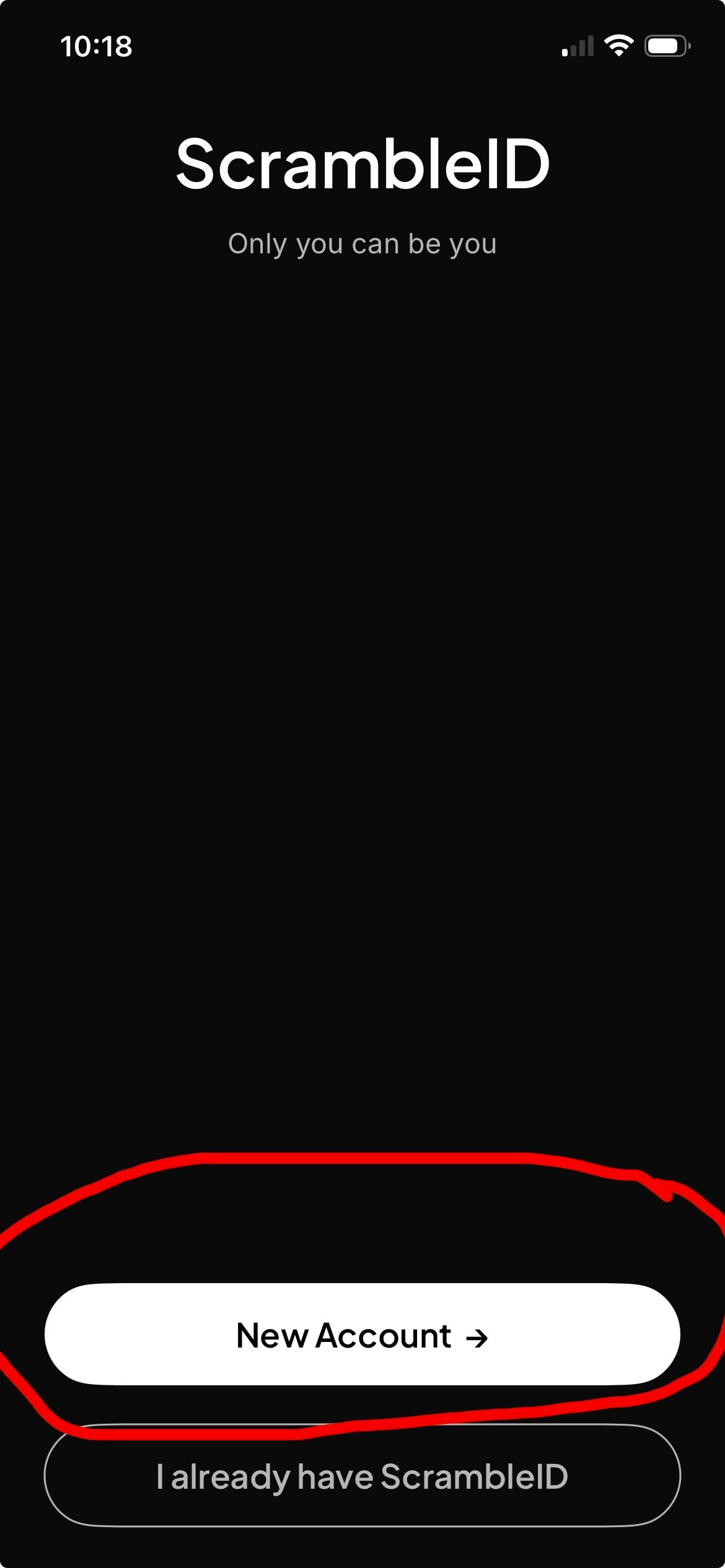
Open the ScrambleID mobile app and select `New Account`.
If you already use ScrambleID on this device, select
`I already have ScrambleID` instead and continue to the company activation
step for the existing account.
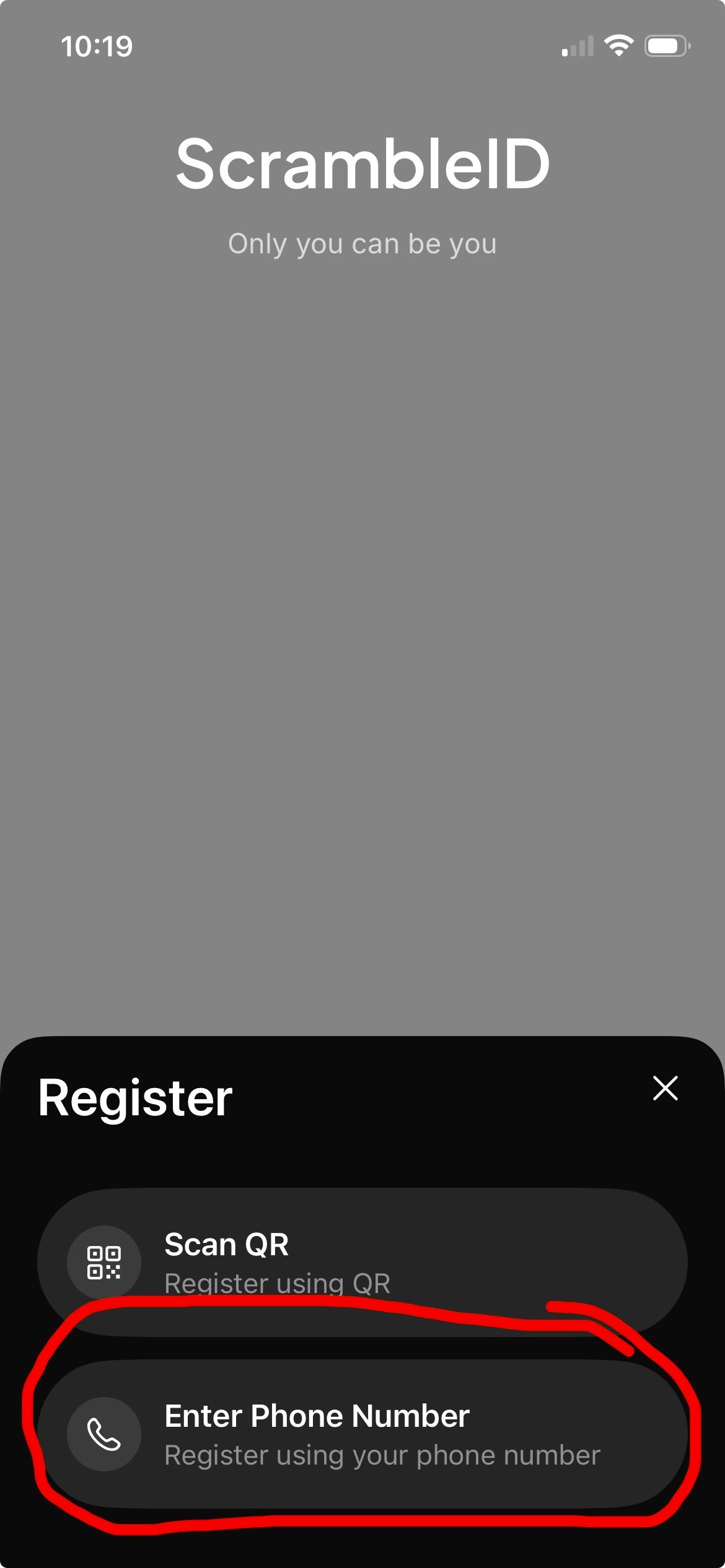
 On the `Register` panel, select `Enter Phone Number`.
Use `Scan QR` only when your organization administrator has specifically
given you a registration QR code.
On the `Register` panel, select `Enter Phone Number`.
Use `Scan QR` only when your organization administrator has specifically
given you a registration QR code.
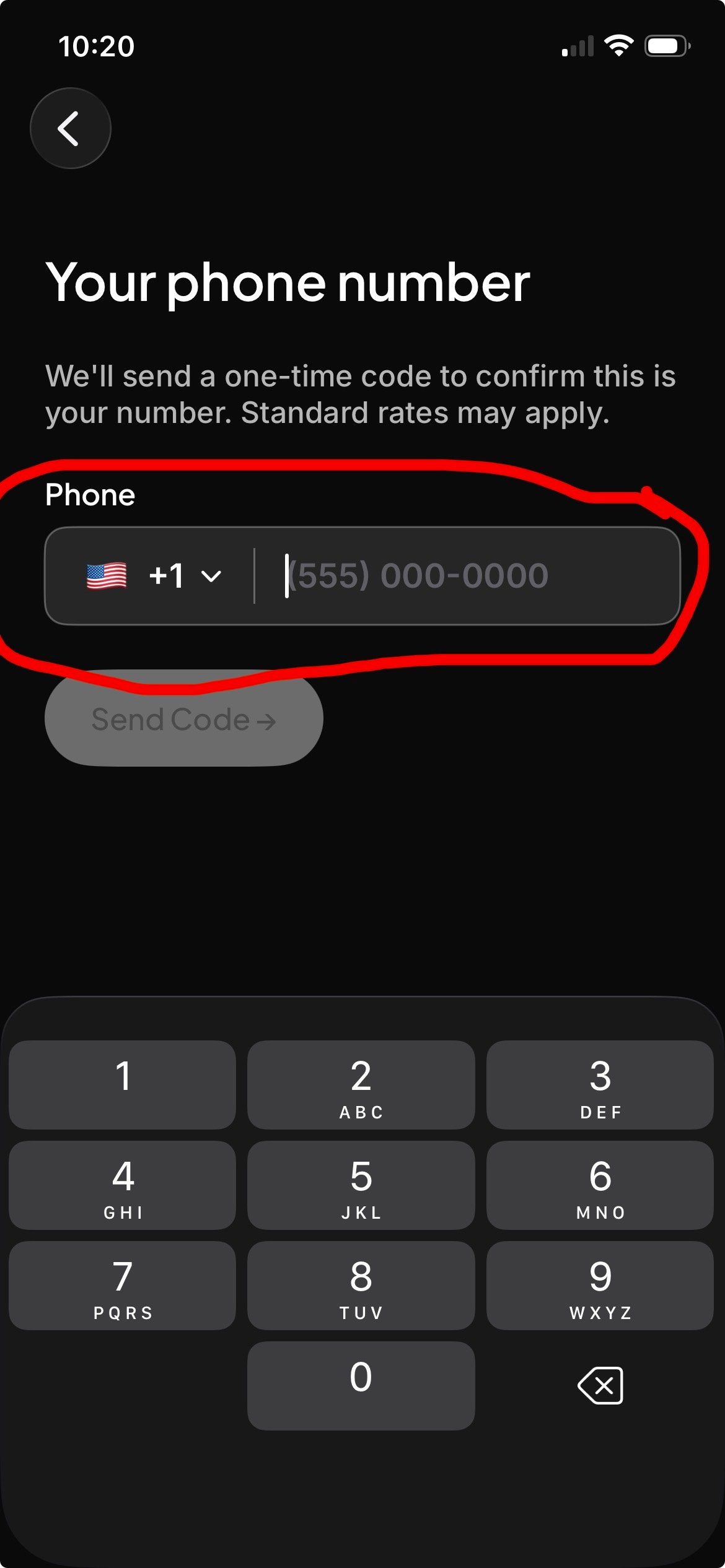
 Confirm the country code, enter the mobile number that can receive your
verification text, and select `Send Code`.
Confirm the country code, enter the mobile number that can receive your
verification text, and select `Send Code`.
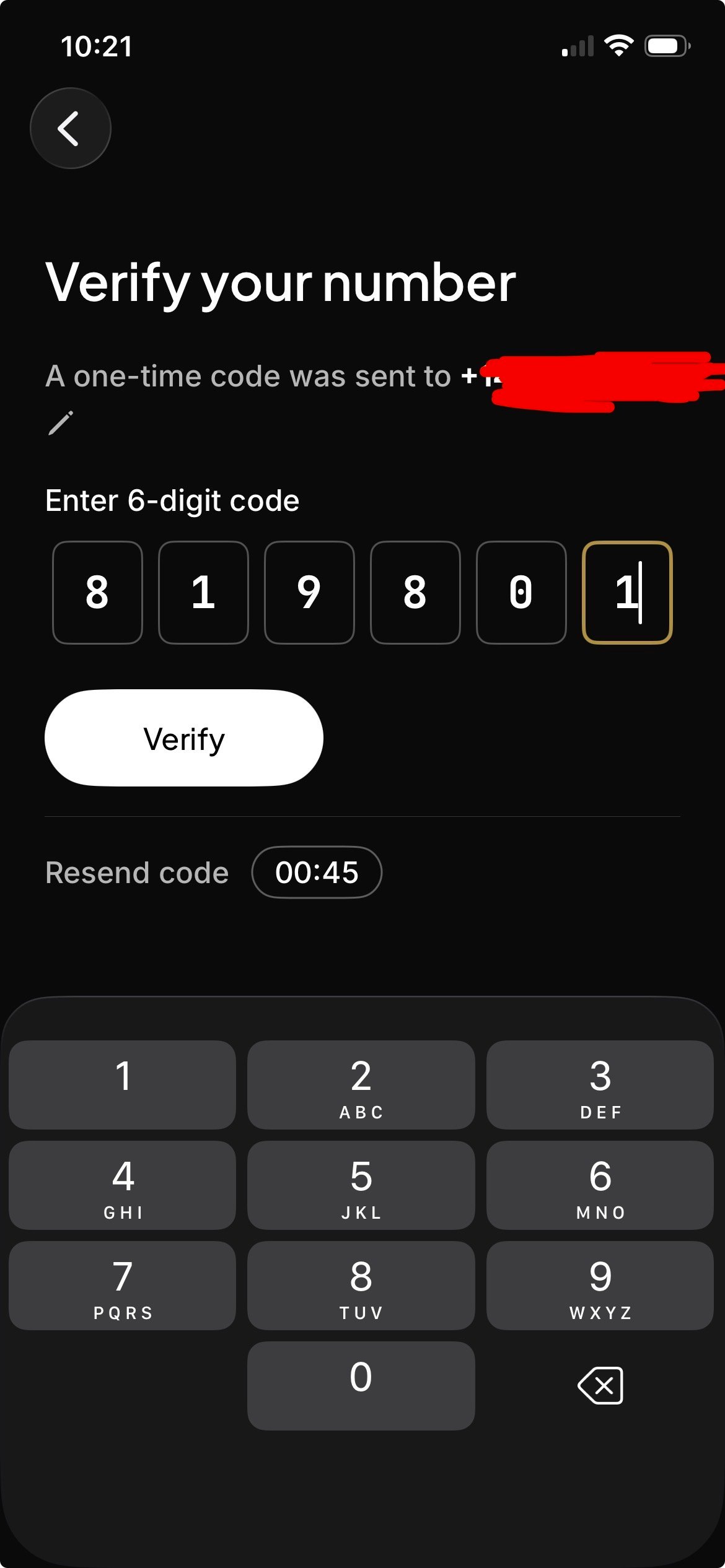
 Enter the six-digit code sent by SMS and select `Verify`.
If the message does not arrive, wait until the countdown ends and use
`Resend code`. Also confirm that the displayed phone number and country code
are correct.
Enter the six-digit code sent by SMS and select `Verify`.
If the message does not arrive, wait until the countdown ends and use
`Resend code`. Also confirm that the displayed phone number and country code
are correct.
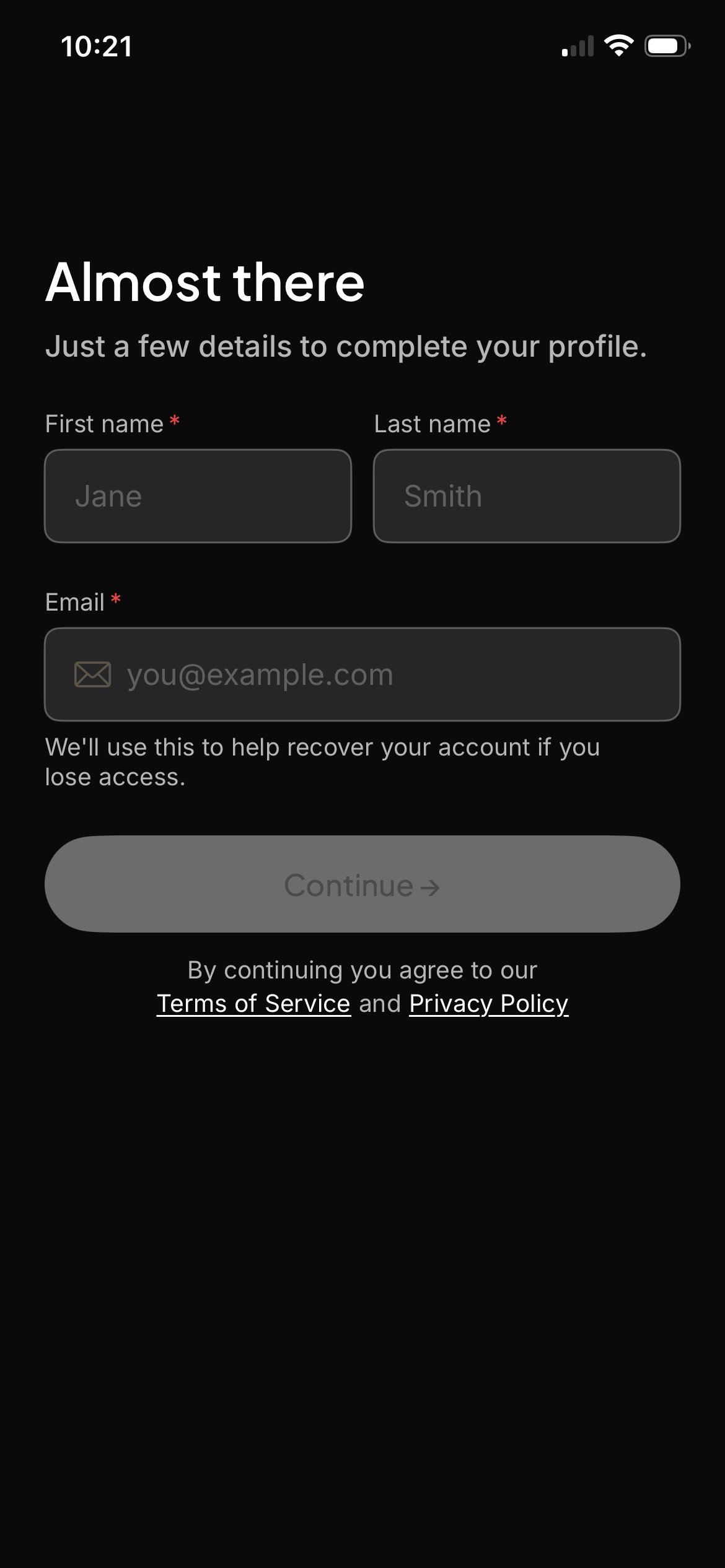
 Enter your first name, last name, and the same work email address that
received the LoopIQ invitation. Review the terms and privacy policy, then
select `Continue`.
Do not substitute a personal email address. A different email can prevent
LoopIQ from finding your existing organization membership.
Enter your first name, last name, and the same work email address that
received the LoopIQ invitation. Review the terms and privacy policy, then
select `Continue`.
Do not substitute a personal email address. A different email can prevent
LoopIQ from finding your existing organization membership.
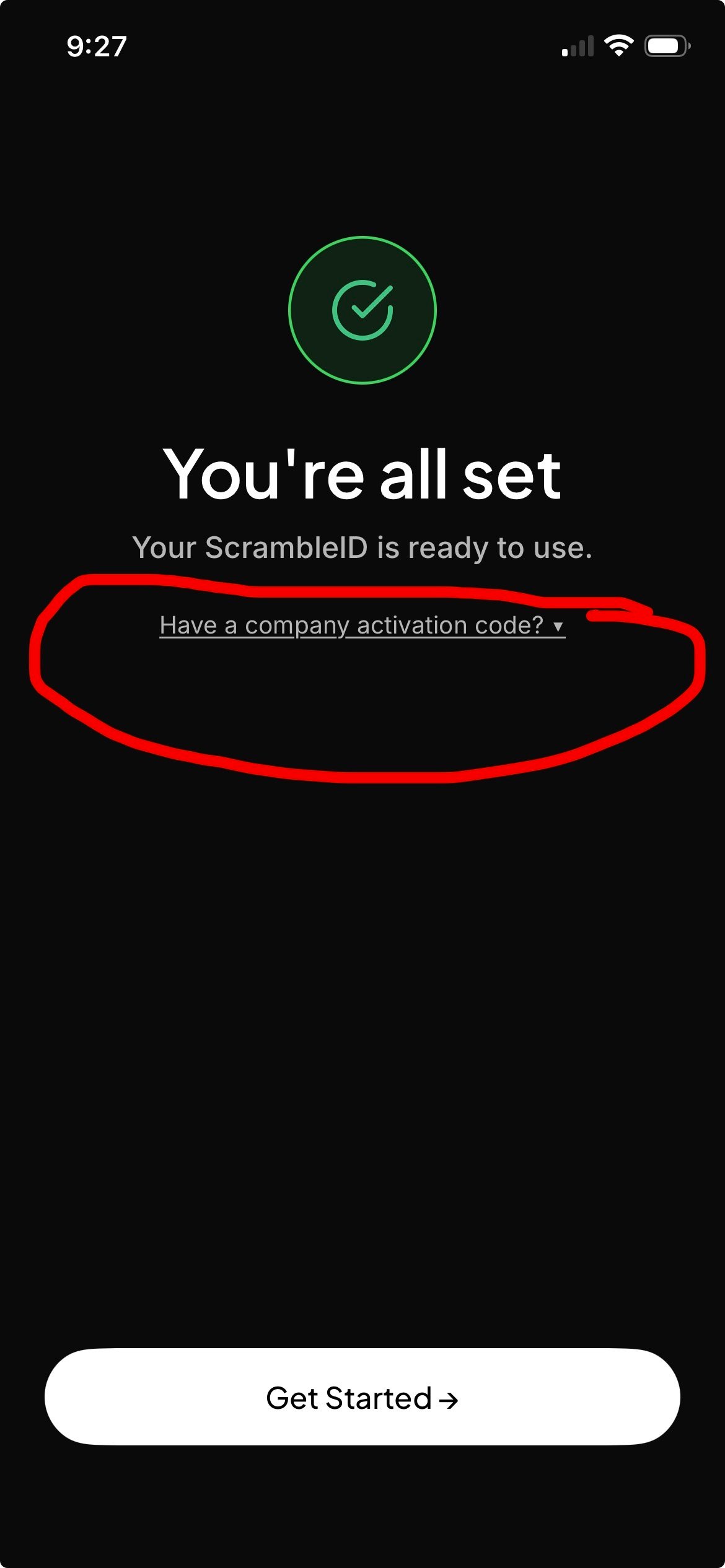
 When `You're all set` appears, select
`Have a company activation code?`. Do not stop at this screen or select
`Get Started` before attaching the LoopIQ activation.
When `You're all set` appears, select
`Have a company activation code?`. Do not stop at this screen or select
`Get Started` before attaching the LoopIQ activation.
 On the next screen, enter:
1. The work email address from your LoopIQ invitation
2. The company activation code from the activation email
Submit the activation and wait for ScrambleID to confirm that registration
is complete. Activation codes expire, so use the code before the expiration
time shown in the email.
Return to [LoopIQ](https://app.loopiq.com) and select `Log in`. LoopIQ opens
ScrambleID for authentication and then loads the organization and access
assigned to your verified work email.
## What successful registration means
After registration:
* ScrambleID confirms your identity and registered device.
* LoopIQ resolves your organization, teams, roles, and permissions from the
LoopIQ account associated with your work email.
* The same ScrambleID identity can authenticate supported LoopIQ web and mobile
applications, subject to your LoopIQ permissions.
## Troubleshooting
### The SMS code did not arrive
Confirm the country code and phone number, wait for the resend timer, and then
select `Resend code`. If messages are blocked by your carrier or device, contact
your mobile provider or organization administrator.
### The company activation code is rejected
* Make sure you entered the code from the most recent activation email.
* Confirm that the work email matches the invitation exactly.
* Check whether the code has expired.
* Ask your LoopIQ organization administrator to resend the activation if needed.
### ScrambleID says registration is complete, but LoopIQ denies access
Your ScrambleID identity may be valid while your LoopIQ organization membership
is missing or inactive. Ask your LoopIQ organization administrator to confirm
your user record, organization membership, role, and active status.
### You used a different email address
Sign out and contact your LoopIQ organization administrator before creating
another account. The administrator can confirm which identity should be linked
to your LoopIQ membership.
Do not share an SMS verification code or company activation code with another
person. Enter activation codes only in the official ScrambleID app.
## Get help
Contact your LoopIQ organization administrator or email
[support@loopiq.com](mailto:support@loopiq.com). Include your work email and the
step where registration stopped, but never include your verification or
activation code.
On the next screen, enter:
1. The work email address from your LoopIQ invitation
2. The company activation code from the activation email
Submit the activation and wait for ScrambleID to confirm that registration
is complete. Activation codes expire, so use the code before the expiration
time shown in the email.
Return to [LoopIQ](https://app.loopiq.com) and select `Log in`. LoopIQ opens
ScrambleID for authentication and then loads the organization and access
assigned to your verified work email.
## What successful registration means
After registration:
* ScrambleID confirms your identity and registered device.
* LoopIQ resolves your organization, teams, roles, and permissions from the
LoopIQ account associated with your work email.
* The same ScrambleID identity can authenticate supported LoopIQ web and mobile
applications, subject to your LoopIQ permissions.
## Troubleshooting
### The SMS code did not arrive
Confirm the country code and phone number, wait for the resend timer, and then
select `Resend code`. If messages are blocked by your carrier or device, contact
your mobile provider or organization administrator.
### The company activation code is rejected
* Make sure you entered the code from the most recent activation email.
* Confirm that the work email matches the invitation exactly.
* Check whether the code has expired.
* Ask your LoopIQ organization administrator to resend the activation if needed.
### ScrambleID says registration is complete, but LoopIQ denies access
Your ScrambleID identity may be valid while your LoopIQ organization membership
is missing or inactive. Ask your LoopIQ organization administrator to confirm
your user record, organization membership, role, and active status.
### You used a different email address
Sign out and contact your LoopIQ organization administrator before creating
another account. The administrator can confirm which identity should be linked
to your LoopIQ membership.
Do not share an SMS verification code or company activation code with another
person. Enter activation codes only in the official ScrambleID app.
## Get help
Contact your LoopIQ organization administrator or email
[support@loopiq.com](mailto:support@loopiq.com). Include your work email and the
step where registration stopped, but never include your verification or
activation code.